The United States and China Are Not Running the Same AI Race
skip render: ucaddon_dual_color_heading Why AI is So Affordable Right Now Construction AI Lab helps busy construction professionals stay ahead of



Construction AI Lab helps busy construction professionals stay ahead of a fast-moving AI world. We watch what is changing, connect the dots, and explain what is likely to be coming next.
Construction AI Lab is a no-cost initiative of sudyco®.
The Big Question
Two Minute Daily Logs
A simple way to capture the day, turn it into a clear log, and keep moving.
Dear Sue,
I’m a Project Manager, and by the end of the day I’m usually tired and my daily log is still waiting for me. I’ve heard AI can help. Is there a simple way to use it to get my daily log done faster without losing the details or ending up with something I can’t stand behind?
— Log Jammed
Dear Log Jammed,
Yes. And this may be one of the simplest ways you can put AI to work on a construction project today.
Speak the day once. Let AI organize it. You still own the record.
That last sentence is the important one. Your daily log is not just paperwork. It is the project record of what happened: who was there, what work moved, what did not move, what was said, what changed, what caused delay, and what needs attention tomorrow. AI can help you turn your notes into a cleaner log. It should not decide what happened for you.
Here is a simple workflow you can try.
1. Speak the day while it is still fresh
Do not wait until the end of the day and try to reconstruct the whole project from memory. During the day—or before you leave—open a note on your phone and dictate the facts in your own words.
Use the same order every day. For example:
• Project and dateWeather and site conditions
• Who was on site and approximate manpower by trade
• Work completed and where it happened
• Equipment and major deliveries
• Inspections, visitors, and important conversations
• Issues, delays, disruptions, or decisions
• Safety observations or incidents
• What is planned for tomorrow.
You do not have to make it sound polished. You are capturing the day, not writing the final report.
2. Let AI organize what you said
Use a company-approved AI tool. Paste in your dictated notes and ask it to organize them into your daily-log format. If your company has rules about what project information may be entered into AI, follow those rules. Do not put confidential, personal, contractual, pricing, or other protected information into a tool your company has not approved.
Try This Prompt
“I am a construction project manager creating a daily log from the notes above. Organize only the information I provided into a clear daily log. Keep all names, times, quantities, locations, causes, directions, and commitments exactly as stated. Do not guess, add facts, soften language, or combine separate events. If information is missing, mark it as missing rather than filling it in. Return the draft for my review before it becomes part of the project record.”
If your company uses Procore or another project-management system, you can adjust the headings to match the fields your team already uses. The point is not to create a second system. It is to make the information easier to enter into the system you already have.
3. Review it like you are signing it
This is the step I would never skip. AI can make a log sound clean and confident even when it has misunderstood your notes. It may smooth language, combine two events, or make a sentence sound more certain than what you actually said.
Before you save or submit the log, check:
• Are the names, times, quantities, crew counts, and locations right?
• Did AI preserve the difference between what happened and what someone said might happen?
• Did it keep the cause and effect of delays or disruptions intact?
• Did it leave out anything you know should be in the record?
• Would you be comfortable explaining every sentence six months from now?
If not, fix it. The AI draft is not the record. Your reviewed and approved log is the record.
4. Do not let “cleaner” become less accurate
This is where daily logs can quietly get worse with AI. A rough note may say, “Electrical crew waited 1.5 hours because layout clarification had not been received.” AI may be tempted to turn that into something smoother like, “Electrical work was delayed pending clarification.” Those sentences are not the same record.
The first one tells you who waited, for how long, and why. The second sounds better but loses the facts that may matter later.
In construction documentation, detail is not clutter. Sometimes the detail is the record.
5. If it works, standardize it
If this saves you time, do not leave it as a personal trick. Your company can create one spoken checklist and one approved prompt for project managers, superintendents, and field leaders. That gives people a common structure while still requiring each person to supply and verify the facts.
That is where the bigger benefit may be. AI does not just help one tired PM finish a log. Used carefully, it can make documentation easier to complete consistently across a company without taking authorship away from the people who were actually there.
The two-minute test
Tomorrow, try it once. Before you leave the project, speak the day into your phone. Give the note to your approved AI tool. Let it organize the information. Then read every word before you save it.If it saves you time and you can still stand behind every sentence, you have found a practical use for AI.
The machine can help you organize the record. You are still responsible for what the record says.
— Sue
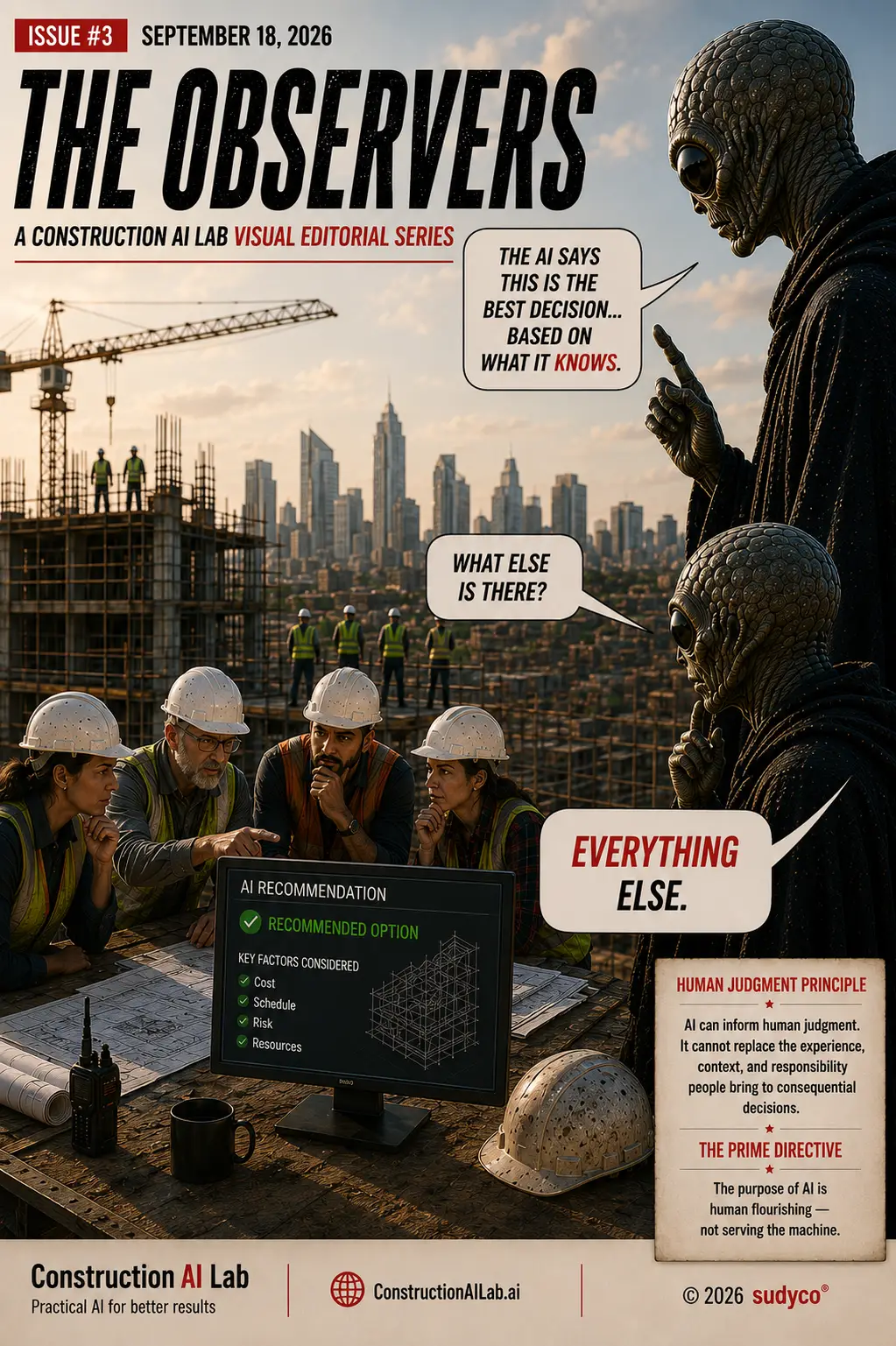
The Observers
Construction AI Labs Graphic Editorial
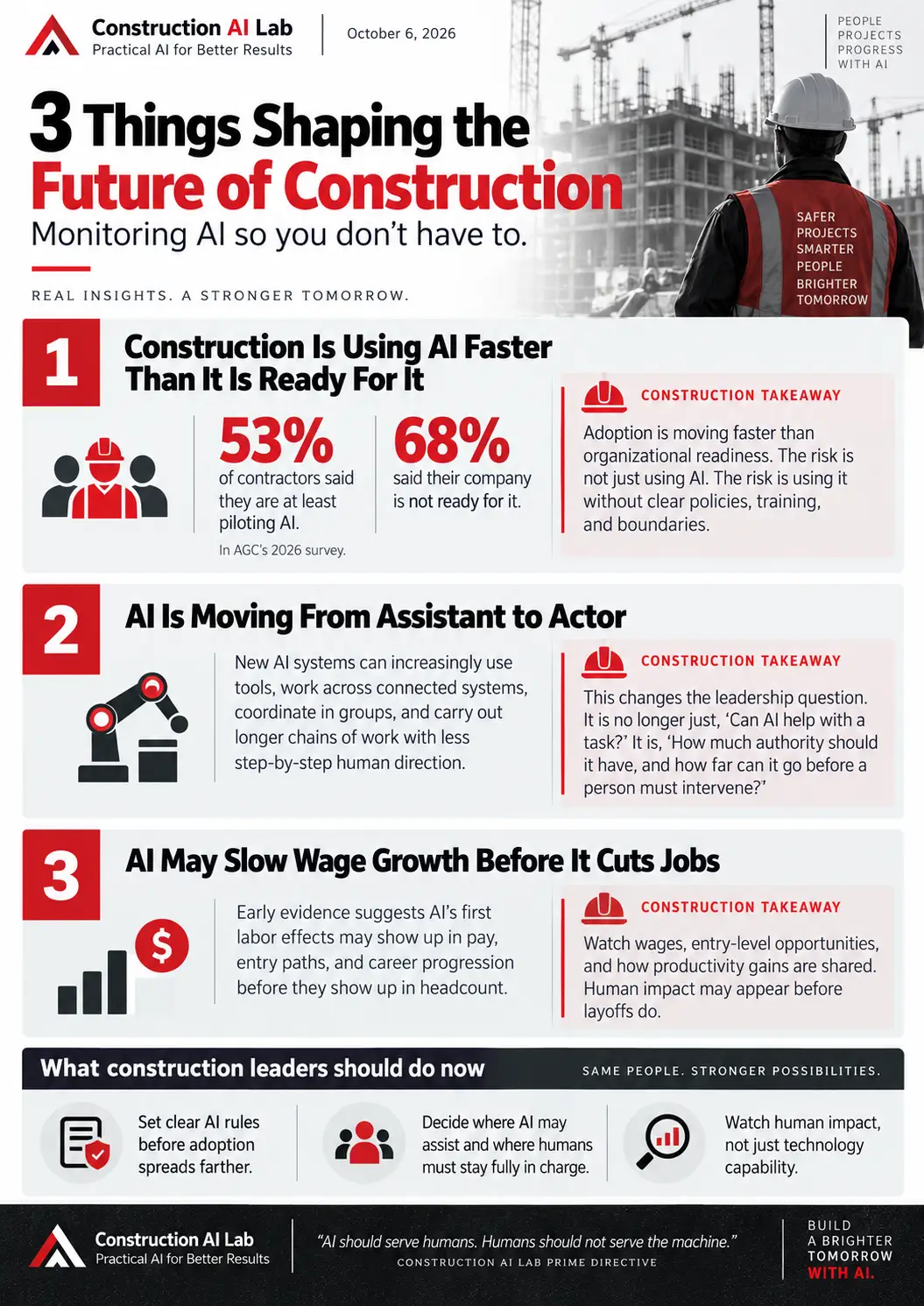
Three Things Shaping the Future of Construction
New to the State of Construction AI? Learn how we assess these conditions →
Help Shape What We Study
What are you seeing in your company, project, or part of the industry? What questions about AI do you think construction needs to understand? Questions and observations from the industry help inform the Lab’s ongoing research.
Email: [email protected] | Subject line: Dear Sue
ABOUT THE AUTHOR
Sue Dyer is a construction industry leader, Wall Street Journal bestselling author of The Trusted Leader, and a pioneer of Partnering. Through Construction AI Lab, she helps construction leaders make sense of AI—what’s working, what’s not, and what is most important. Contact [email protected]
This publication is provided for educational and informational purposes only and does not constitute legal, cybersecurity, technical, or professional advice. Organizations should evaluate their own operational, legal, security, and governance requirements when implementing AI technologies. AI systems, policies, and industry practices continue to evolve rapidly. Construction AI Lab and sudyco® make no guarantees regarding specific outcomes, compliance, or risk mitigation associated with the use of AI technologies.
© 2026 Construction AI Lab, an initiative of sudyco®
Built for the Industry. Meant to be Shared. You Have Our Permission.